Follow these 3 simple steps to top up your myGMT Digital Account and send money home to your loved ones anytime, anywhere
Here’s what to do:
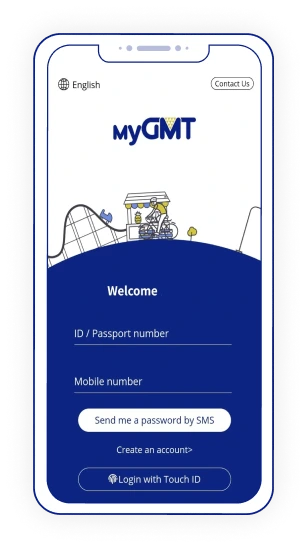
1 Sign Up or Log In
Log In: If you’re already registered, log in to your account. Sign Up: If you’re new to myGMT, create an account through the app or website.
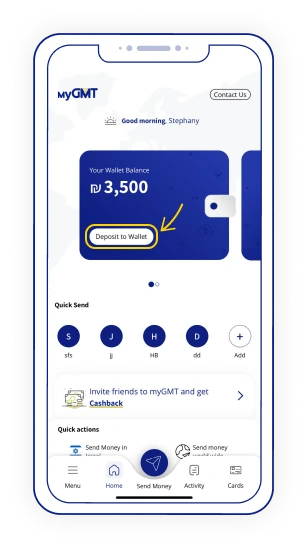
2 Select “Deposit to Wallet”
On the myGMT digital wallet home screen, click “Deposit to Wallet”
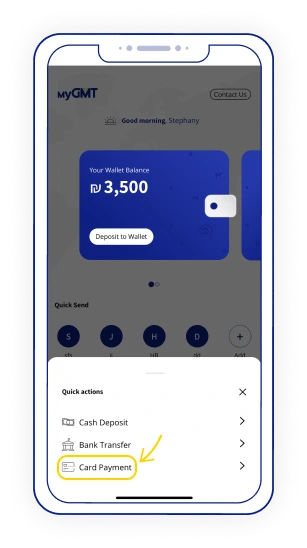
Select the “Card Payment” option.
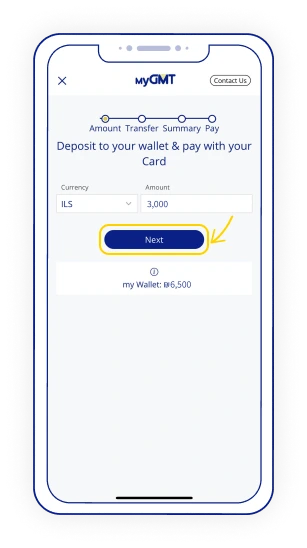
Choose the amount you wish to load to your wallet, then click “Next”
3 Approve Transaction Details
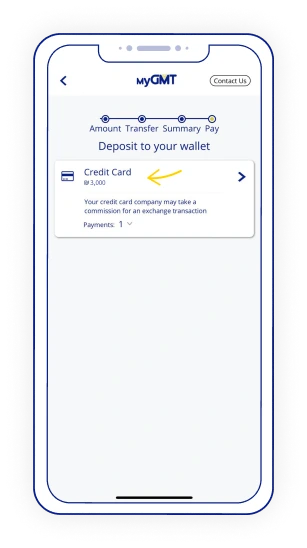
On the “Deposit to Your Wallet” screen, select “Credit Card.”
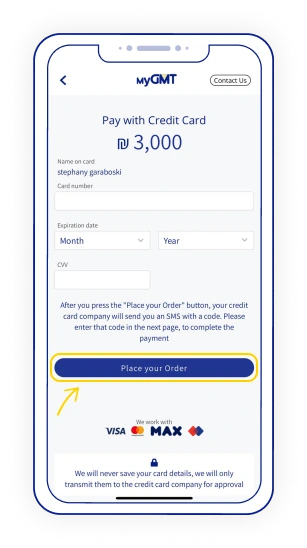
Enter your credit card details: 1.card number 2.expiration date 3.CVV (a three-digit number usually found on the back of your credit or debit card) Click “Place your Order.”
You’re done! Your myGMT Digital Wallet is now loaded and ready to send money to your loved ones quickly and securely.